
Next-Gen AI Avatars For Your Practice.
Multilingual.
Expressive. Agentic.

Consult. Support. Sell. Train. And more.

Give your practice the Ansha Advantage. Ansha listens and replies in the patient’s language with natural pauses and facial expressions. It sees what patients show on camera, analyzes shared files, and guides them through forms on screen. With your booking system connected, it can also help schedule the visit.

Introduction · English audio

Features

Choose a capability to see how Ansha can help your practice.

See Discuss what a patient shows on camera, on screen, or in a shared file.
Camera
Ask for a clearer angle and discuss visible details with the visitor.
Screen sharing
Read what’s on a shared screen and guide someone through a report, form, or software task.
Images and documents
Review visitor-shared files, compare them with the current view, and explain what is unclear.
Speak Keep talking in the patient’s language, even when they switch mid-conversation.
Voice and text
Hold a two-way conversation, take follow-up questions, and let the visitor interrupt a spoken reply.
Multilingual replies
Follow the language of each turn or choose a fixed language. Set a fallback for unclear requests.
Expression
Pair speech with lip movement, pauses, and facial expression. Choose the avatar mode and voice for the experience.
Business knowledge
Ground answers in your website, documents, and curated FAQs. Generate a starting set of questions and refine it in your workspace.
Act Guide intake, book a visit, and brief the coordinator through connected tools.
Reception and sales
Check visitors in, ask intake questions based on their answers, explain products or memberships, and book through a connected calendar.
Consultations and handoffs
Explore goals and approved options. Prepare a summary, capture a lead, and pass the request to staff or a connected CRM.
Connected apps
Authorize supported scheduling, CRM, commerce, and business tools. Custom MCP connections extend what your workspace can look up or do.
Workflows
Use the visual builder to connect triggers, conditions, and actions. Administrators can also use authorized remote-browser tools.
Create Give your practice a familiar presenter for welcome and education videos.
Avatar and voice
Choose a ready-made presenter, upload a portrait, or take a camera snapshot. Choose a supported voice or clone a voice with permission.
Agent design
Set the role, welcome message, instructions, knowledge, and tools in the setup wizard.
Video studio
Build reusable scenes and slides, add timed subtitles, localize scripts, and generate personalized videos in batches.
Exports
Download an MP4 in landscape, portrait, or square format.
Teach Let staff rehearse difficult conversations and try again with feedback.
Courses
Build guided lessons for onboarding, product education, or staff training.
Role-play
Rehearse a sales objection or support call, give specific feedback, and invite the learner to try another response.
Visual coaching
Explain a step using the screen or camera view the learner chooses to share.
Assessment
Check understanding, review results, and let learners resume their saved progress.
Deploy Reach patients by web link, inside your site or app, or through H.E.L.O. in your lobby.
Web and mobile
Share one URL that opens your avatar as a web app in a desktop or mobile browser.
Website and app embeds
Place a responsive avatar on your site or in your product. Use the SDK, scoped APIs, and signed webhooks for custom integrations.
Kiosks and H.E.L.O.
Manage shared displays with session resets and approved offline material. Explore full-height H.E.L.O. or H.E.L.O. Desk for a physical presence.
Workspace management
Review sessions, transcripts, leads, and usage. Manage connected accounts, supported bring-your-own AI keys, and billing.
Meetings Bring Ansha into the conversation on Zoom or Google Meet for a staff Q&A or training session.
Prepare the call
Find an upcoming Zoom meeting and its join link in a connected Zoom account, or create a Google Meet space to share with attendees.
Invite Ansha
In a workspace with meeting participation enabled, the owner can enter a Zoom or Google Meet link, request that Ansha join, check its status, and have it leave.
Speak with Ansha
Attendees can address Ansha by name. Its avatar can answer aloud using the knowledge you have given it. The meeting organizer controls admission and host permissions.

Ansha in action

What would Ansha say?

These recordings have English audio and captions. Choose a role to hear the exchange, or try a live conversation in your language.

Prospective patient

I’ve looked at three skin treatments. Do I need to pick one before I book?

Read Amara’s reply

A question is a perfect place to start. Three treatment names on a screen can make it feel as though you’ve got homework before you even call us. You don’t. What first got you looking? I’d start there.

Prospective patient

There’s a wedding coming up. I’m worried I’ll be talked into something with downtime.

Read Amara’s reply

When is the wedding? That date matters here. Let’s put the date at the top of your notes, along with the fact that downtime worries you. That gives the clinician a much better starting point. And if waiting until after the wedding makes more sense, that’s a perfectly reasonable conversation to have.

Prospective patient

Could I come in just to talk, and decide about treatment later?

Read Amara’s reply

Yes. Let’s make the request for a consultation. I’ll tell the team you’d like to understand your options and have time afterward to think. Here’s what I’ll write down. You have a wedding coming up, and you want to talk about downtime before you decide. Did I get that right?

Amara Lewis · Consultation

A consultation before the wedding

Amara helps a visitor sort through skin treatments before a wedding and decide what to ask the clinic about downtime.

Email for a consultation walkthrough
Medspa guest

I usually pay $110 a visit. Would your $90 monthly membership actually save me money?

Read Julian’s reply

If it covers the visit you already buy, yes — for a month when you come in. You’d keep twenty dollars in your pocket. The interesting part is the months you don’t use it. Looking back over the last year, how often did you actually make it in?

Medspa guest

Probably ten times. I travel in the summer. What happens to the savings then?

Read Julian’s reply

Ten visits? Let’s run that. At a hundred and ten each, you’d spend eleven hundred dollars paying as you go. The membership comes to one thousand eighty for the year. So if those missed visits expire, you’re saving twenty dollars — for the whole year. I’d check the rollover terms before I asked you to join.

Medspa guest

For twenty dollars, I’d rather keep the flexibility. Can I just book my usual visit?

Read Julian’s reply

Of course. For the way you actually use the practice, I’d book the single visit too. We can look at membership again if your routine changes. For now, let’s get you the visit you wanted. Are you looking for your usual weekday time, or would a weekend be easier?

Julian Rossi · Sales

Is the membership worth it?

Julian compares a fictional membership with pay-as-you-go visits. When the guest mentions summer travel, he does the math again and helps them choose.

Email for a sales walkthrough Explore membership sales →
New coordinator

I freeze when a caller pushes back on the consultation fee. Could we practice?

Read Theo’s reply

Let’s try it. I’ll be the caller, and you’ve just picked up the phone. “The office down the street says I can come in for free. Why would I pay to see you?” Okay — back to you. What’s the first thing you’d say?

New coordinator

I’d say, “Well, that’s our policy.” Hearing that out loud… it sounds cold.

Read Theo’s reply

Mm. You heard it yourself, didn’t you? You gave me the rule, but I still don’t know what I’m paying for. Try opening with, “That’s a fair question.” Then tell me one thing the visit actually includes. Just one. Give it another go — I’m still your caller.

New coordinator

“That’s a fair question. The visit sets aside time with the clinician to go over your goals and options. What would you want to get out of it?”

Read Theo’s reply

That last question? Keep it. You told me what the visit is worth, then gave me a reason to stay on the phone. Here’s the part to practice now: let me answer. Give me a beat, even if the silence feels long. Then offer an appointment that fits what I actually tell you.

Theo Grant · Staff training

When a caller questions the fee

Theo plays a skeptical caller, listens to a new coordinator’s first attempt, then gives them a second try and specific feedback.

Email for a staff training walkthrough Try the training exercise →
Returning patient

My visit is tomorrow. I lost the instructions, and the portal says my link expired. Where do I start?

Read Grace’s reply

Let’s take one thing at a time. First, we’ll get you back to your checklist. When you open the portal, do you get stuck before you sign in? Or do you get inside and then lose track of the message? That’ll tell us which step will actually help.

Returning patient

It’s before I sign in. The reset email keeps sending me back to the beginning.

Read Grace’s reply

Okay, that helps. Close that old email first. Open the portal from the practice website and ask for one fresh reset link. If two emails arrive, use the newest one. You can keep the password and the link to yourself. Where does the new link take you?

Returning patient

I’m back in. The checklist doesn’t say whether I should change my medication.

Read Grace’s reply

Good, you found it. For the medication question, I’d get your care team involved. Open the secure message option in the portal and tell them which medication you mean and that your visit is tomorrow. If you’d like, we can put that question into words together.

Grace Bennett · Patient support

The appointment is tomorrow

Grace helps a returning patient untangle an expired portal link, recover the visit checklist, and get a medication question to the care team.

Email for a patient support walkthrough Explore patient support →
Practice specialties

What does your coordinator receive?

Pick your specialty. Read the patient’s question, see how your practice could answer, and open the sample brief your team could use on the next call.
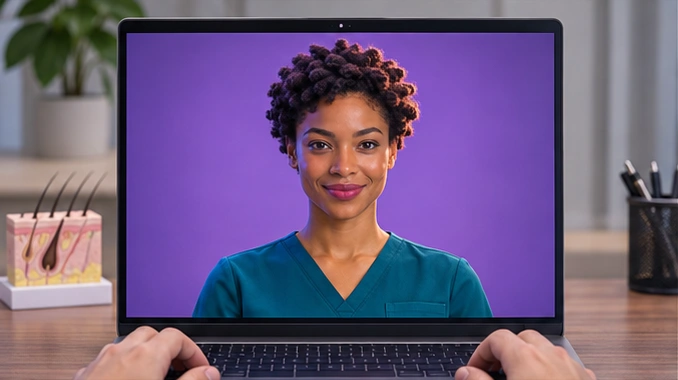
A front-facing Ansha AI avatar in teal scrubs on a laptop beside a scalp model
Example website invitation

Start a live consultation in your preferred language, 24/7.

Explore hair restoration →

H.E.L.O. by I Brain Robotics

Meet Ansha in your lobby.

H.E.L.O. is the physical embodiment of Ansha. Visitors can speak with a life-size presenter at the entrance, or explore services beside a countertop presenter on H.E.L.O. Desk.

Explore H.E.L.O. for your practice →
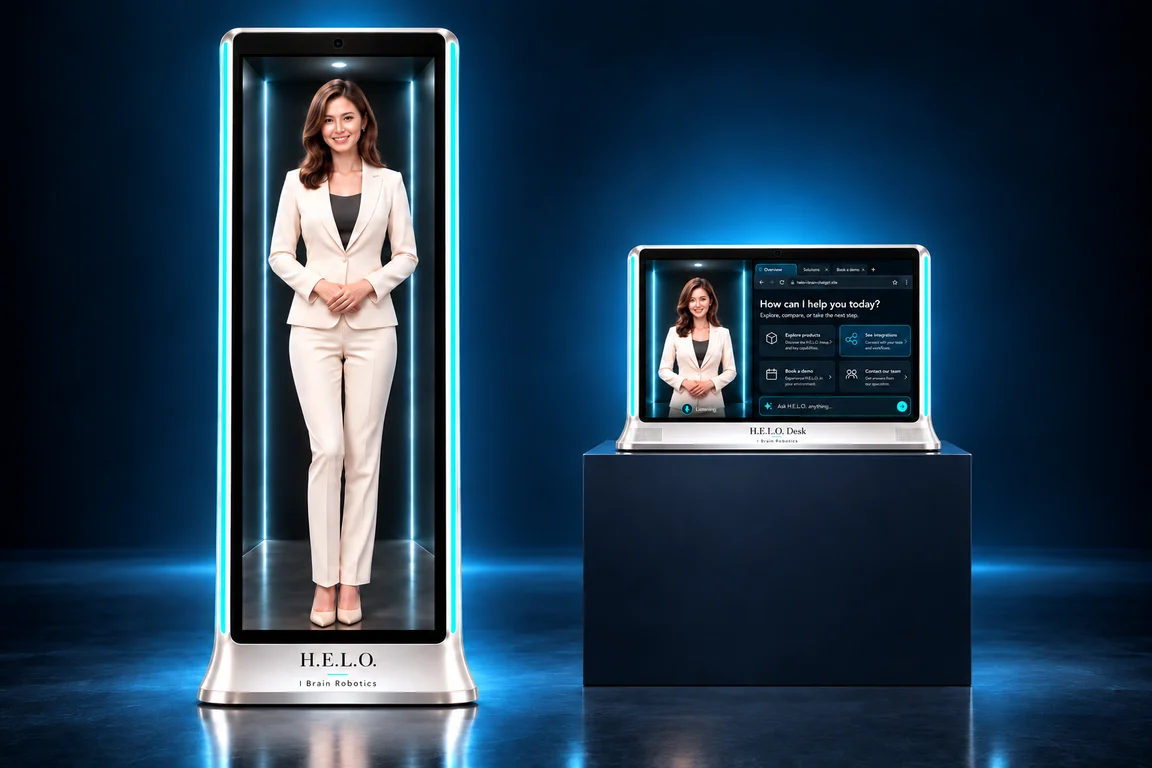
Full-height H.E.L.O. and H.E.L.O. Desk shown side by side
Product design rendering

Access & integrations

Put Ansha where patients reach you.

A link, an embed, or a lobby

Text or email your Ansha web app URL. Patients can open it in a desktop or mobile browser. Embed Ansha in your practice website or app, or welcome patients in person through H.E.L.O.

See H.E.L.O. for reception →

Connect the tools your staff use

With the right permissions, Ansha can check a connected calendar for openings and pass a consultation request to your CRM. Third-party apps and custom MCP tools let you choose what else Ansha can look up or do.

Explore practice integrations →

Zoom and Google Meet

Ansha can find a meeting link in a connected Zoom account or create a Google Meet space. Want Ansha to join a staff call, answer questions, or lead a training session? Bring a sample agenda to your practice walkthrough.

Discuss your meeting workflow →

For practice teams

Put your first avatar to work.

Start where a conversation makes a difference. Choose a membership page where guests hesitate, a consultation your team repeats, or a skill every new hire needs to practice.
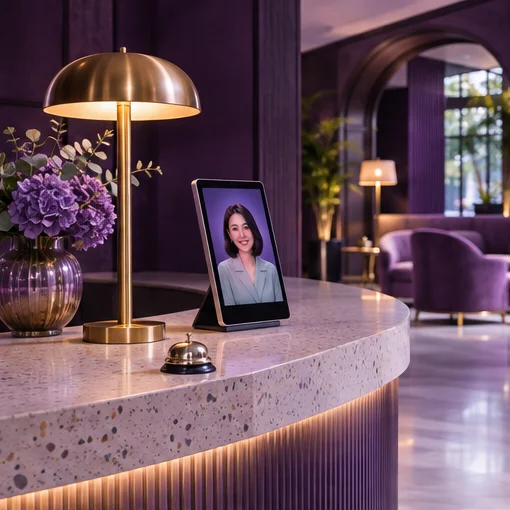

A digital concierge welcoming a visitor at a reception desk